Telegram store builder
Your digital products.
Your Telegram store.
Build a storefront for the people already following you on Telegram. AvaGuru connects your bot, product catalog, Stars checkout and digital delivery—without writing or hosting bot code.
You’ll need a Telegram account, a BotFather bot and an AvaGuru dashboard account. No code does not mean no setup.
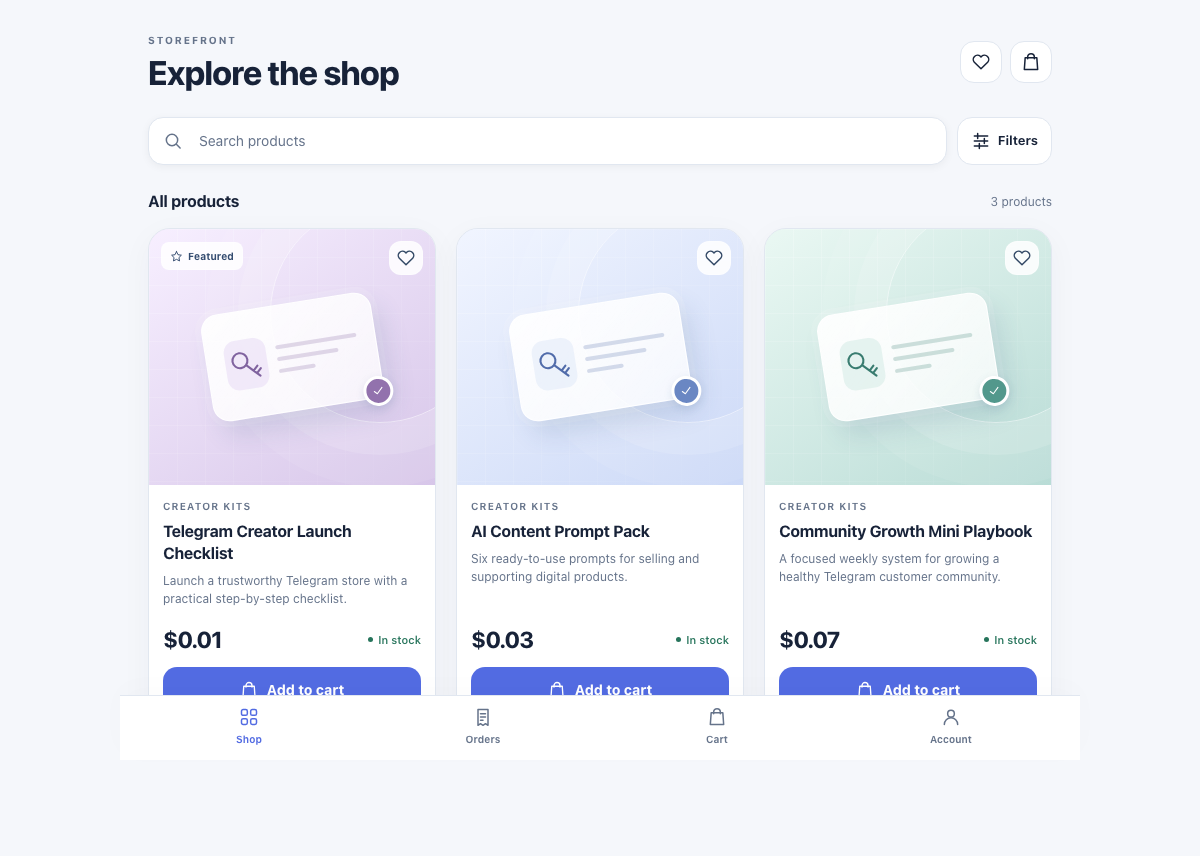
What you can build
A selling flow, from catalog to delivery
AvaGuru is a hosted commerce tool for supported digital products. It is not a drag-and-drop builder for any kind of Telegram app.
A store attached to your bot
Give buyers a catalog they can open from Telegram. Manage products and orders through the merchant dashboard.
Stars checkout
Sell digital goods using Telegram Stars inside Telegram, following Telegram’s digital-payment requirement.
Digital fulfillment
Configure downloadable products and supported license-key delivery so a confirmed purchase can be fulfilled automatically.
Before you start
Bring the product.
We handle the store software.
- A bot you control. Create one with @BotFather. For a bot already connected to another service, plan the switch before connecting it; a fresh bot is the simplest starting point.
- Your product and policies. Prepare the files you have rights to sell, descriptions, images, pricing, purchase terms and a support contact.
- An audience and a payment check. You bring buyers from your channel, group or other links. Review Stars payout eligibility and complete a test order before launch.
From setup to first order
Four steps to a working Telegram shop
Create your bot in BotFather
Open the official @BotFather account in Telegram and send /newbot. Choose a name and an available username ending in “bot”. Keep the bot token private; you will enter it in your AvaGuru dashboard.
Create a store in the dashboard
Sign in to AvaGuru, choose your store name and URL slug, and enter the matching bot username and token. AvaGuru configures the store connection. Wait for the connection to be ready before sharing it.
Add a product and its delivery
Add a clear description, product image and price. Upload the digital file or configure the supported fulfillment option for your product. Check your plan’s product and store allowances before importing a catalog.
Test the complete buyer journey
Open your bot, browse the store, and complete a real test purchase with Telegram Stars. Confirm payment, delivery and order access, then check your support and refund process before promoting the link.
Plan the payment flow before the launch
Telegram requires Stars for digital goods and services sold inside bots and Mini Apps. AvaGuru’s subscription is separate from Telegram’s payment and reward terms; no AvaGuru sales commission does not mean cost-free payments.
Payment rule checked November 16, 2026: Telegram’s official digital payments documentation.
Is this the right store builder for you?
A good fit when…
- Your customers already use Telegram.
- You sell digital downloads, templates, resources or supported license-key products.
- You want a managed catalog and checkout instead of building a custom bot.
Consider another approach when…
- You need shipping, warehouse or physical retail workflows.
- You need a fully custom Mini App interface or unusual checkout logic.
- You depend on marketplace discovery or want buyers to avoid Telegram and Stars.
Choose a plan around your catalog
Store count, products per store and monthly order allowances vary by plan. Check the current pricing and plan limits before committing to a catalog size. AvaGuru uses SaaS subscriptions rather than a percentage of each sale; Telegram’s payment economics still apply.
Questions before you build
Do I need to code or host a server?
No coding or server deployment is required for the supported storefront flow. You still create the bot through BotFather, connect it in the dashboard, configure your products and test checkout.
Do I need a channel or group?
Your store connects to a bot. A channel or group is useful for reaching buyers, but it is not a substitute for creating and connecting the store bot.
Can I take card payments for digital goods inside Telegram?
Telegram requires Stars for digital goods and services inside bots and Mini Apps. A separate website does not exempt an in-Telegram purchase from that requirement.
Will the builder bring me customers?
You are responsible for attracting buyers. Use your existing community and promotion channels; the store provides the catalog, checkout and fulfillment flow.
Plan your next step
See the store your buyers will use
Explore the demo, then connect your own bot when you’re ready.